
Best Premium Divi Layout Packs for Business Websites (Complete Guide)

Best Premium Divi Layout Packs for Business Websites (Complete Guide)

Best Premium Divi Layout Packs for Business Websites (Complete Guide)

Looking for the best Premium Divi Layout Packs to build a professional WordPress website? Whether you're creating a website for a digital agency, hotel, spa, fitness center, real estate business, solar energy company, or another growing brand, choosing the right Divi Layout Pack can dramatically reduce development time while helping you launch a beautiful, responsive, and SEO-friendly website.

Modern businesses need websites that not only look professional but also deliver excellent performance, responsive layouts, and a seamless user experience across every device. Instead of building every page from scratch, professionally designed Divi Website Templates allow you to import complete website layouts and customize them using the intuitive Divi 5 Visual Builder.

In this comprehensive guide, we'll explore some of the best Premium Divi Layout Packs available for business websites. You'll discover what makes a great layout pack, the key features to look for, and which industries benefit the most from professionally designed Divi templates. Whether you're a freelancer, agency, developer, or business owner, this guide will help you choose the perfect layout for your next project.


Why Choose Premium Divi Layout Packs?

A professionally designed Premium Divi Layout Pack offers much more than an attractive website design. It provides a complete website structure built using modern UI principles, conversion-focused layouts, responsive sections, optimized typography, and SEO-friendly page architecture. This allows you to launch high-quality websites faster while maintaining a professional appearance.

Compared to designing a website from scratch, Divi Layout Packs save valuable time and eliminate repetitive design work. Instead of spending days creating headers, service pages, testimonials, pricing tables, contact sections, and responsive layouts, everything is already prepared and ready for customization.

  • Professionally designed website layouts.
  • Fully compatible with Divi 5.
  • Responsive across desktop, tablet, and mobile.
  • SEO-friendly page structure.
  • Clean, modern UI and UX.
  • Fast loading and optimized performance.
  • Easy customization using the Divi Visual Builder.
  • Suitable for freelancers, agencies, and businesses.

What Makes a Great Divi Layout Pack?

Not every Divi template delivers the same quality. The best Premium Divi Layout Packs combine excellent design with practical functionality. A high-quality layout should include multiple professionally designed pages, responsive sections, clean typography, optimized spacing, conversion-focused call-to-actions, and a structure that's easy to customize for different industries.

Before choosing a layout pack, consider whether it includes essential pages such as Home, About, Services, Contact, Blog, FAQ, Pricing, and other pages relevant to your business. It's also important to check if the layout is built specifically for Divi 5, ensuring full compatibility with the latest Visual Builder features.

If you're looking for professionally designed layouts built for modern businesses, explore our complete collection of
Premium Divi Layout Packs. Every template is designed for performance, responsive design, and easy customization.


Who Should Use Premium Divi Layout Packs?

Premium Divi Layout Packs are ideal for anyone who wants to build professional WordPress websites quickly without compromising on quality. Whether you're creating websites for clients or launching your own business online, professionally designed layouts help you save time while maintaining a consistent, high-quality design.

  • Freelancers building websites for clients.
  • Digital marketing agencies.
  • Small business owners.
  • Web designers and developers.
  • WordPress professionals.
  • Startup companies.
  • Local businesses.
  • Creative professionals.

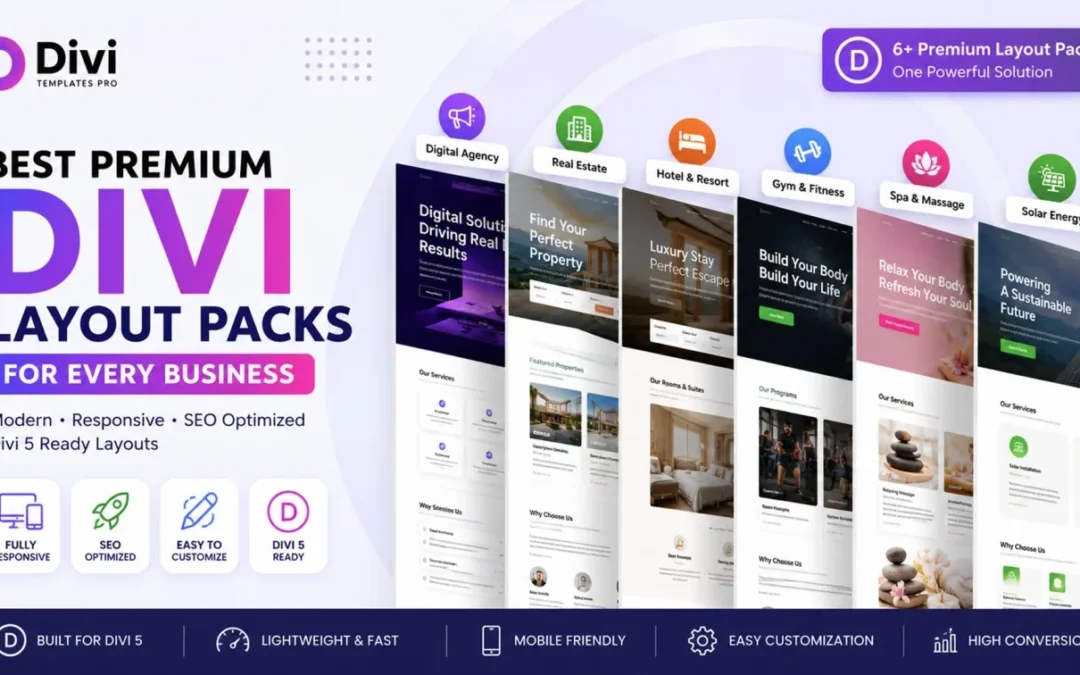
In the next section, we'll review some of the best Premium Divi Layout Packs for different industries, including Digital Agency, Hotel Booking, Spa & Massage, Fitness, Real Estate, and Solar Energy websites, helping you choose the right template for your business.


Best Premium Divi Layout Packs for Different Business Niches

Choosing the right Premium Divi Layout Pack depends on the type of website you're building. Every business has different design requirements, user expectations, and conversion goals. Below are some of our most popular Divi 5 layout packs, each carefully designed for a specific industry with responsive layouts, SEO-friendly structure, and modern user experience.


1. Modern Digital Agency Divi Layout Pack

If you're building a website for a creative agency, marketing company, freelancer, startup, or web design business, the Modern Digital Agency Divi Layout Pack is an excellent choice. It features a clean, modern interface with conversion-focused sections, bold typography, service pages, portfolio layouts, testimonials, and strong call-to-action elements.

  • Perfect for agencies and freelancers.
  • Modern UI with premium design.
  • SEO-optimized page structure.
  • Fully responsive for all devices.
  • Easy to customize using Divi 5.

👉
Modern Digital Agency Divi Layout Pack


2. Havenly Hotel & Resort Booking Divi Layout Pack

The Hotel Booking Divi Layout Pack is designed for hotels, resorts, guest houses, vacation rentals, and luxury accommodations. It includes professionally designed booking pages, room showcases, amenities sections, gallery layouts, pricing pages, and contact forms that help convert visitors into bookings.

  • Elegant hospitality design.
  • Room listing pages.
  • Booking-ready layouts.
  • Mobile-friendly experience.
  • Built for Divi 5.

👉
Havenly Hotel & Resort Booking Divi Layout Pack


3. RealtyFlow Real Estate Divi Layout Pack

For real estate agencies, property consultants, builders, and realtors, the RealtyFlow Real Estate Divi Layout Pack offers a professional website solution. The layout includes property showcases, agent profiles, inquiry forms, service pages, and modern landing pages designed to generate more leads.

  • Professional property listings.
  • Modern real estate design.
  • Lead generation sections.
  • Responsive layouts.
  • SEO-friendly pages.

👉
RealtyFlow Real Estate Divi Layout Pack


4. FitPulse Modern Gym & Fitness Divi Layout Pack

The FitPulse Fitness Divi Layout Pack is built for gyms, personal trainers, fitness coaches, yoga studios, and wellness centers. It includes training programs, membership pricing, trainer profiles, class schedules, transformation sections, and motivational call-to-actions.

  • High-energy fitness design.
  • Membership pricing pages.
  • Trainer profile layouts.
  • Class schedule sections.
  • Easy visual customization.

👉
FitPulse Modern Gym & Fitness Divi Layout Pack


5. Veloura Spa & Massage Divi Layout Pack

Designed for spas, wellness centers, massage clinics, beauty salons, and luxury treatment businesses, the Veloura Spa & Massage Divi Layout Pack combines elegant typography, calming colors, service pages, pricing tables, appointment sections, and beautiful imagery to create a relaxing online experience.

  • Luxury spa website design.
  • Appointment booking pages.
  • Treatment showcase sections.
  • Elegant modern layouts.
  • SEO-ready structure.

👉
Veloura Spa & Massage Divi Layout Pack


6. Solvion Solar Energy Divi Layout Pack

The Solvion Solar Energy Divi Layout Pack is created for renewable energy companies, solar panel installers, green technology startups, and environmental businesses. It includes service pages, project showcases, pricing sections, testimonials, and contact pages designed to generate more inquiries.

  • Clean renewable energy design.
  • Service-focused layouts.
  • Project showcase pages.
  • Lead generation sections.
  • Fully optimized for Divi 5.

👉
Solvion Solar Energy Divi Layout Pack


Which Divi Layout Pack Should You Choose?

The best Premium Divi Layout Pack depends entirely on your business goals and industry. If you're a freelancer or agency, choose the Digital Agency Layout Pack. Hotels and resorts will benefit from the Hotel Booking Layout Pack, while fitness centers, spas, real estate agencies, and solar companies can select layouts specifically designed for their niche. Choosing an industry-focused template helps you launch faster, maintain a professional appearance, and improve user engagement from day one.

In the next section, we'll share expert tips on how to choose the right Divi Layout Pack, what features to look for before purchasing, and how these templates can help you build better WordPress websites with Divi 5.
How to Import Divi Layout Packs in Divi 5 (Step-by-Step Guide)

How to Import Divi Layout Packs in Divi 5 (Step-by-Step Guide)

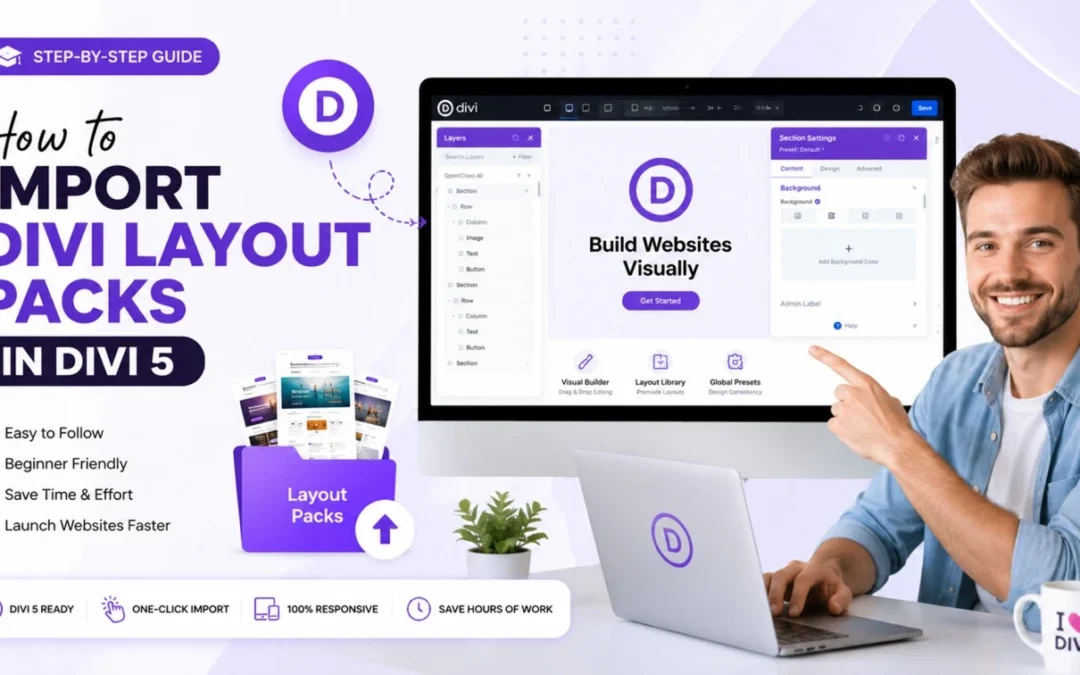
Looking for the easiest way to import Divi Layout Packs in Divi 5? You’re in the right place. Whether you’re building a business website, hotel website, real estate platform, fitness website, spa website, or agency portfolio, importing a professionally designed Divi Layout Pack can save hours of development time while helping you launch a beautiful, responsive, and SEO-friendly website much faster.

One of the biggest advantages of using Divi 5 is its powerful Visual Builder, which allows anyone to build modern WordPress websites without writing code. Instead of designing every page from scratch, you can simply import a professionally designed layout, replace the demo content with your own, and publish your website in significantly less time.

In this complete guide, you’ll learn exactly how to import Divi Layout Packs into Divi 5, avoid common mistakes during the import process, and customize your website like a professional. We’ll also share practical tips that help improve website performance, maintain clean layouts, and create a better experience for your visitors.


What Is a Divi Layout Pack?

A Divi Layout Pack is a professionally designed collection of website pages created specifically for the Divi Theme. Instead of designing every page manually, you can import ready-made layouts that already include modern sections, typography, colors, images, call-to-action blocks, testimonials, contact forms, pricing sections, and much more.

Most premium layout packs include multiple pages such as Home, About, Services, Blog, Contact, FAQ, and other industry-specific pages. Once imported, every section can be customized using the Divi Visual Builder, making it easy to create a unique website that matches your brand without touching a single line of code.

If you’re searching for professionally designed templates, browse our Premium Divi Layout Packs Collection, where you’ll find layouts for hotels, spas, fitness centers, real estate agencies, digital agencies, solar companies, and many other business niches.


Why Use Divi Layout Packs Instead of Building from Scratch?

Creating a professional website from scratch requires planning, UI design, responsive optimization, typography, spacing, conversion-focused sections, and SEO-friendly structure. This process can take days or even weeks for a single project.

With professionally designed Premium Divi Layout Packs, most of that work is already done for you. You simply import the layout, customize the branding, replace the content, and launch your website much faster.

  • Save hours of website development time.
  • Create professional websites without coding.
  • Enjoy responsive layouts that work on every device.
  • Use SEO-friendly page structures built for better user experience.
  • Customize everything visually with the Divi Visual Builder.
  • Launch websites faster using One-Click Demo Import.

Are Divi Layout Packs Compatible with Divi 5?

Yes. Modern Divi 5 Layout Packs are designed specifically for the latest version of Divi and fully support the updated Visual Builder experience. They provide improved performance, cleaner editing workflows, and greater flexibility compared to older website-building methods.

Before importing any layout, always verify that it has been built for Divi 5. Using layouts designed for the latest framework helps avoid compatibility issues and ensures a smoother editing experience.

At Divi Templates Pro, every layout pack is carefully developed for Divi 5 and optimized for responsive design, fast loading, and easy customization. Explore some of our most popular layouts:


Before You Start Importing

Before importing your layout pack, make sure you have installed the latest version of the Divi Theme and activated it on your WordPress website. We also recommend creating a fresh WordPress installation or backing up your existing website before importing any demo content.

For official installation instructions and the latest Divi resources, visit the Official Divi Documentation.

In the next section, we’ll walk through the complete step-by-step process of importing a Divi Layout Pack into Divi 5, including screenshots, common settings, and best practices to ensure everything imports correctly.


How to Import Divi Layout Packs in Divi 5 (Step-by-Step)

Now that you understand what a Divi Layout Pack is and why it’s beneficial, let’s go through the complete import process. Divi 5 makes importing layouts easier than ever, allowing you to launch professional websites in just a few minutes.

Step 1 – Download Your Divi Layout Pack

After purchasing or downloading your preferred Premium Divi Layout Pack, you’ll typically receive a ZIP file containing the layout JSON files, documentation, images (if included), and any additional resources required for installation.

Before importing, extract the ZIP file and keep the layout files organized in an easily accessible folder. This makes the import process much smoother and helps avoid selecting the wrong files.


Step 2 – Install and Activate the Divi Theme

Log in to your WordPress dashboard and ensure that the latest version of the Divi Theme is installed and activated. Since this tutorial focuses on Divi 5, make sure your website is running the latest compatible version for the best editing experience and performance.

  • Go to Appearance → Themes.
  • Upload the Divi Theme if it isn’t already installed.
  • Activate the theme.
  • Verify that Divi 5 is updated to the latest version.

Keeping Divi updated ensures better security, improved speed, bug fixes, and compatibility with newer layout packs.


Step 3 – Open the Divi Visual Builder

Create a new page or edit an existing page where you’d like to import your layout. Click Enable Divi Builder and launch the Divi Visual Builder.

Inside the builder, you’ll see the option to load or import a layout. Divi provides several ways to start building, including loading layouts from the Divi Library or importing custom JSON layout files.

This drag-and-drop workflow makes Divi one of the most beginner-friendly website builders for WordPress users.


Step 4 – Import Your Layout Pack

Select the Portability option within the Divi Builder and choose the JSON layout file included in your layout pack. Upload the file and wait for Divi to complete the import process.

  • Select the correct JSON layout file.
  • Click Import Divi Builder Layout.
  • Wait until the import finishes successfully.
  • Save your page.

After importing, your complete page structure—including sections, rows, modules, typography, buttons, and layouts—will appear exactly as designed.


Step 5 – Replace Demo Content

Once the layout has been imported successfully, replace all demo content with your own branding. Update your company logo, images, headings, text, buttons, contact information, and business details using the intuitive Divi Visual Builder.

If you’re building websites for clients, this is also the ideal time to update brand colors, typography, spacing, icons, and global presets to maintain visual consistency throughout the website.


Step 6 – Optimize Your Website Before Publishing

Before making your website live, spend a few minutes reviewing every page. Test the layout on desktop, tablet, and mobile devices to ensure everything looks perfect across different screen sizes.

  • Check responsive layouts.
  • Optimize images for faster loading.
  • Review typography and spacing.
  • Update page titles and meta descriptions.
  • Configure your SEO plugin.
  • Test contact forms and buttons.

These small optimizations improve user experience, Core Web Vitals, and search engine visibility while creating a more professional website.


Pro Tips for Better Results

To get the most from your Divi Layout Packs, avoid making major design changes immediately after importing. Instead, first replace your branding, update the content, and optimize images. Once the website is fully functional, you can gradually customize layouts, animations, typography, and advanced design elements without affecting the overall structure.

If you’re searching for professionally designed layouts, explore our growing collection of Premium Divi Layout Packs. Popular options include our
Hotel Booking,
Spa & Massage,
Real Estate,
Fitness,
Solar Energy, and
Digital Agency layout packs.

In the next section, we’ll cover the most common Divi layout import problems, explain how to fix them quickly, answer frequently asked questions, and share additional recommendations to help you build faster, more professional WordPress websites using Divi 5.


Common Divi Layout Pack Import Errors & How to Fix Them

Although importing a Divi Layout Pack is usually quick and straightforward, you may occasionally encounter issues during the process. Fortunately, most problems are easy to resolve with a few simple checks. Below are some of the most common Divi 5 import issues and their solutions.

1. JSON File Won’t Import

If your JSON file doesn’t upload, verify that you’re importing the correct layout file included in the layout pack. Also, ensure the file hasn’t been modified or corrupted during extraction.

2. Layout Looks Different After Import

Demo images, custom fonts, or third-party plugins may not be included with every layout pack. Replace placeholder images with your own content and make sure all required plugins are installed before editing the layout.

3. Slow Builder Performance

If the Divi Builder feels slow, clear your website cache, browser cache, and any optimization plugins. Keeping WordPress, Divi, and PHP updated also improves editing performance.

4. Responsive Layout Issues

Always review your imported pages on desktop, tablet, and mobile devices. Divi 5 provides responsive editing controls that allow you to adjust spacing, typography, and layout settings for each device individually.


Best Practices After Importing a Divi Layout Pack

Importing the layout is only the beginning. To create a professional and high-performing website, follow these recommended best practices after installation.

  • Replace all demo text with original content.
  • Optimize every image before uploading.
  • Update your page titles and meta descriptions.
  • Create a logical internal linking structure.
  • Configure Rank Math or your preferred SEO plugin.
  • Test your website on desktop, tablet, and mobile.
  • Check loading speed using PageSpeed Insights.
  • Keep Divi and WordPress updated regularly.

Recommended Premium Divi Layout Packs

If you’re looking for professionally designed layouts built specifically for Divi 5, explore our growing collection of Premium Divi Layout Packs. Every layout is fully responsive, SEO optimized, easy to customize, and created to help businesses launch professional websites faster.

Browse our complete collection here:
Premium Divi Layout Packs Collection.


Frequently Asked Questions

Can I use Divi Layout Packs with Divi 5?

Yes. All modern layout packs built for Divi 5 are fully compatible with the latest Visual Builder and support responsive editing, faster performance, and easier customization.

Do I need coding knowledge?

No. Divi’s drag-and-drop Visual Builder allows you to edit text, images, colors, layouts, buttons, and typography without writing any code.

Can I use these layouts for client projects?

Yes, provided your license allows commercial usage. Always review the licensing terms before using layouts in client projects.

Will importing a layout overwrite my existing website?

Importing a layout affects only the page where you import it. However, it’s always recommended to create a backup before making significant changes.

Are the layouts mobile responsive?

Absolutely. Every Premium Divi Layout Pack is designed to work seamlessly across desktop, tablet, and mobile devices.

Can I customize every section?

Yes. Every layout can be customized using the Divi Visual Builder, allowing you to edit colors, fonts, spacing, images, icons, animations, and page layouts.


Final Thoughts

Learning how to import Divi Layout Packs in Divi 5 is one of the easiest ways to speed up your website development process while maintaining a professional design. Instead of building every page from scratch, you can import beautifully crafted layouts, customize them using the Divi Visual Builder, and launch responsive, SEO-friendly websites in significantly less time.

Whether you’re a freelancer, agency, web designer, or business owner, investing in high-quality Premium Divi Layout Packs helps you save time, improve consistency, and deliver better results for every project.

If you’re ready to build your next website, explore our collection of professionally designed layouts built exclusively for Divi 5. From hotels and spas to real estate, fitness, solar energy, and digital agencies, you’ll find modern templates for a wide range of industries.

👉 Browse Premium Divi Layout Packs
👉 Contact Our Team
👉 View Documentation

How to Import Divi Templates in 3 Easy Steps (Beginner’s Guide)

How to Import Divi Templates in 3 Easy Steps (Beginner’s Guide)

Building a professional website doesn't have to take weeks. With Divi, you can transform a blank page into a stunning website in just a few minutes. Whether you have purchased a premium layout from Divi Templates Pro or downloaded a freebie, the process of importing it is simple.

In this guide, we’ll walk you through the most up-to-date and easiest way to import Divi templates in 2026.

Prerequisites: What You Need Before Importing

Make sure you have:
Divi Theme is installed and activated on your WordPress site.
The JSON file (This is the format Divi uses for its templates). If you downloaded a .ZIP file, make sure to unzip it first to find the JSON file inside

Step 1: Open the Divi Builder on Your Page

First, you can just navigate to your WordPress Dashboard and create a new page or open an existing one.
Click on Pages > Add New.
Give your page a title (e.g., "Home").
Click the big purple button that says "Use Divi Builder".
You will see three options. Select "Build From Scratch". This will open a blank canvas where we will "drop" our new template.

Step 2: Use the Portability Tool (The Magic Button)

Once the builder is open, look at the bottom of the screen. You will see a purple circle with three dots.
Click the three dots to expand the menu.
Look for the Portability Icon (it looks like two arrows, one pointing up and one pointing down).
A pop-up window will appear. Click on the "Import" tab at the top.
Now, simply drag and drop your .JSON template file into the box, or click "Choose File" to select it from your computer.

Step 3: Finalize the Import

This is the last step to bring your design to life.
Before clicking import, you will see an option: "Replace existing content".
Tip: If you are working on a new page, keep this checked. If you want to add the template below your current design, uncheck it.
Click the button: "Import Divi Builder Layout".
Wait for the loading bar to reach 100%. Do not refresh the page!

Bonus Tip: Using the Divi Cloud (Latest Update)

If you use multiple websites, Divi now offers Divi Cloud. Instead of downloading JSON files, you can save your imported layouts directly to the cloud. This allows you to access your favorite designs on any website you are building without ever leaving the WordPress dashboard.